By Spike POS · Published · Updated
How to Manage Inventory in a Small Retail Shop
Build a practical stock routine with opening counts, consistent product records, deliveries, waste checks and sales reconciliation.
Give each sellable item a consistent identity
Decide what one unit means before counting anything. A single bottle and a case of twelve are different units; mixing them creates stock errors even when every sale is entered.
Use consistent names and categories. Where your deployed version supports SKU and barcode fields, keep codes unique and test lookup. Linked size/color variants and automated unit conversion are not assumed here.
Establish an opening count
Count physical stock before switching on a live process. Record the count date, who counted it and the unit used. Resolve duplicate product records before importing or typing quantities.
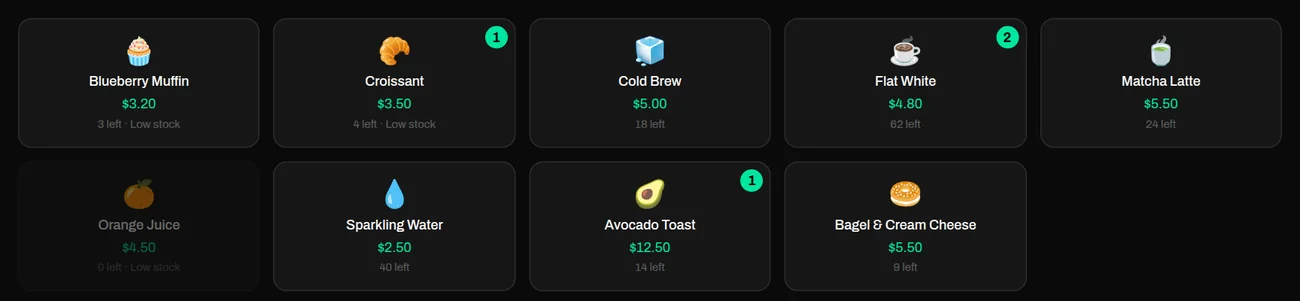
Spike POS Starter does not track live stock. Pro supports stock counts and low-stock flags. Do not interpret an untracked Starter product as an unlimited physical supply; it only means the software is not maintaining that count.
- Choose a quiet period and count one category at a time.
- Separate damaged, reserved or unsellable items from available stock.
- Compare the physical count with the opening value you enter.
- Keep a count sheet so discrepancies can be investigated later.
Reconcile deliveries, sales and losses
A useful check is opening stock plus receipts, minus sales and losses, compared with closing stock. Differences can indicate missing deliveries, incorrect quantities, theft, breakage or a counting mistake; do not assume one cause.
The current operations code includes receive, waste, transfer and purchase workflows, but production availability is unverified. Confirm those workflows and plan access in your account. Keep separate evidence for deliveries and adjustments where your release does not support them.
Use low-stock signals with judgement
Set thresholds around demand and replenishment time, not just a round number. A fast-selling item with a week-long lead time needs a different threshold from an item delivered every morning.
Review a small category regularly instead of waiting for a disruptive full count. Sales reports can help identify high-volume items, but ingredient recipes, expiry tracking and automatic supplier ordering are not claimed. Reconcile offline pending sales before trusting closing counts.