Retail POS for small shopsthat runs in your browser
Spike POS gives a small shop a clean product grid, a record of every sale and a sensible view of what's selling. Start on a laptop or tablet you already own.
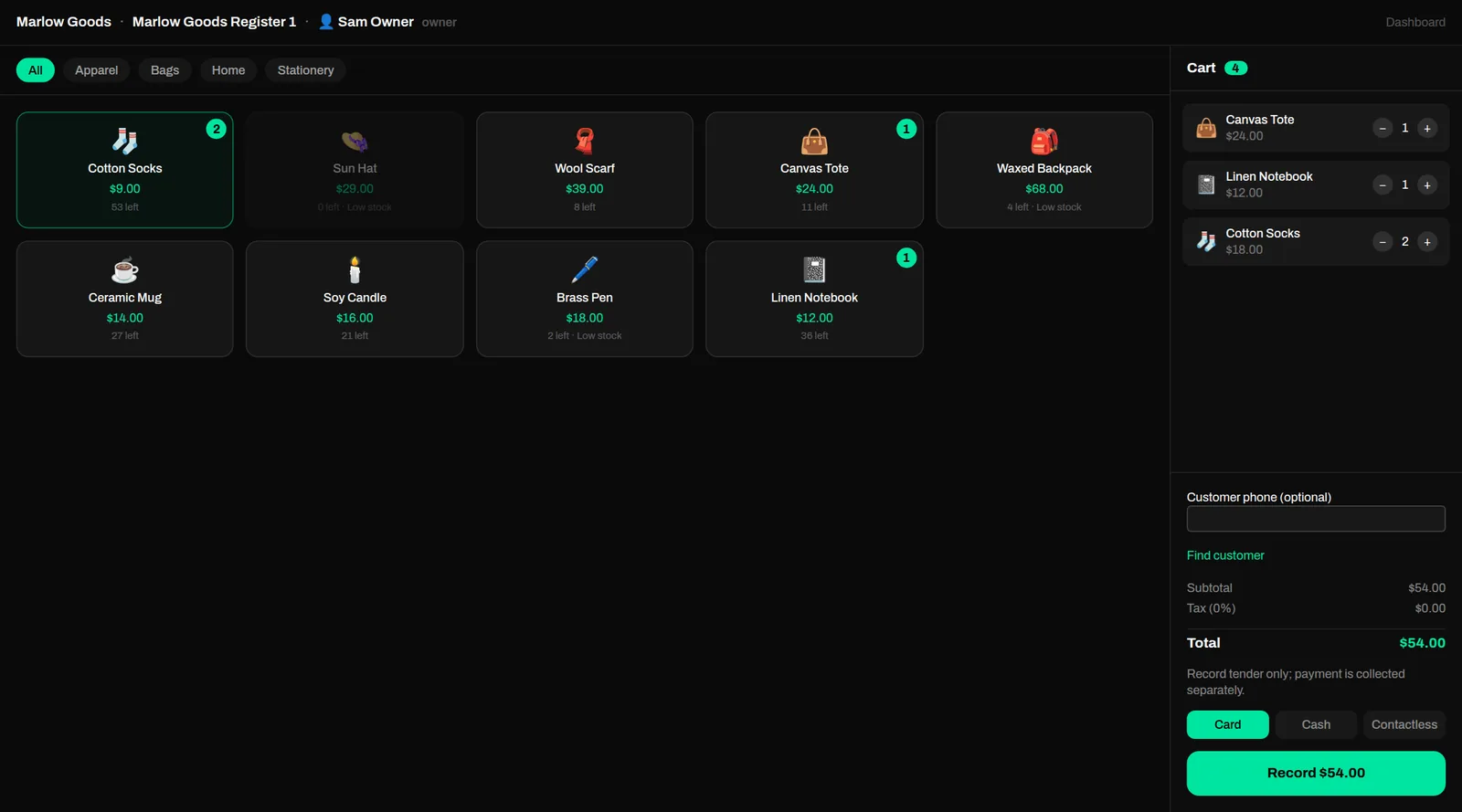
A trading day, from first product to last sale
Set out the shop
Add each product with a name, price and category. Categories become the filter tabs along the top of the register, so bags, stationery and homeware are one tap apart.
Ring up the basket
Tap a product to add it, and tap it again for a second one. Plus and minus buttons in the cart fix a miscount without starting over.
Record how they paid
Take the payment on your own card terminal or in cash, then mark the sale as card, cash or contactless. Spike POS works out the tax from your store's rate and saves the sale.
Close the day with facts
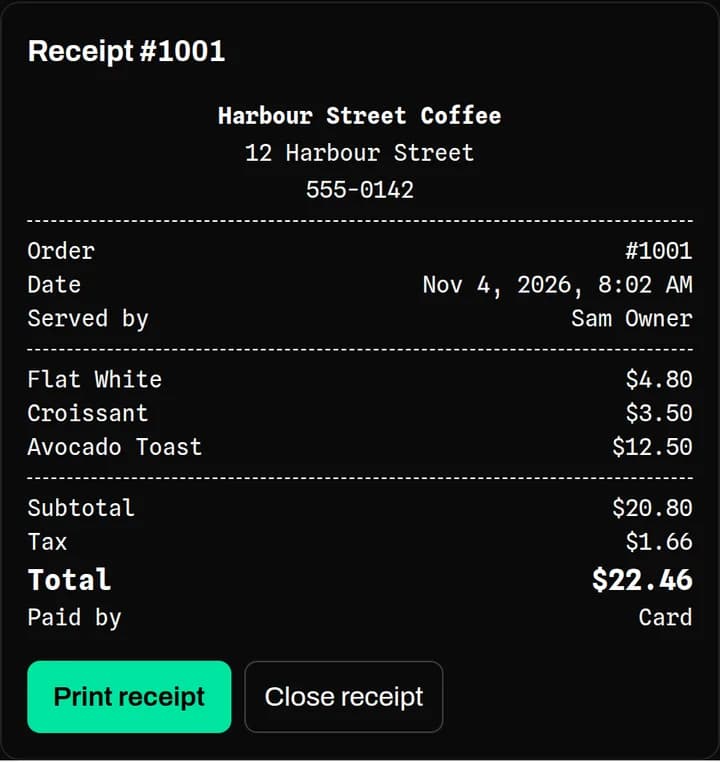
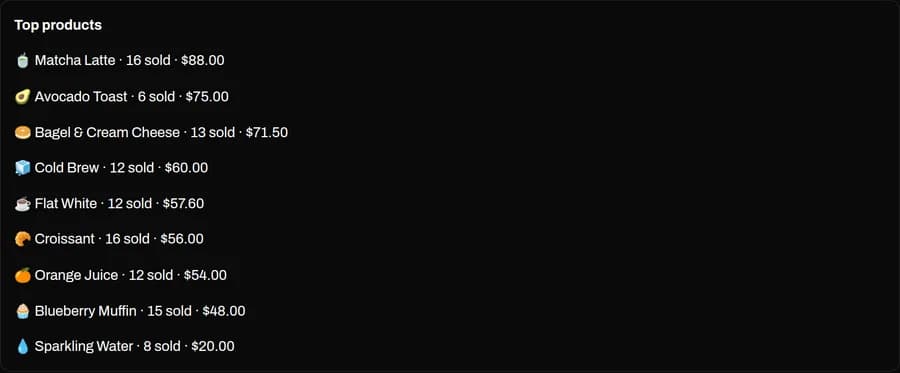
Print a receipt right after the sale, or find it later in sales history. Reports show revenue, average order, top products and the split between card, cash and contactless.

What a growing shop gets from Pro
Starter suits a shop finding its feet: one register, one location and up to 50 products. Stock isn’t counted on Starter, so products stay on sale until you change them.
Pro removes the product limit and adds live stock counts, a CSV catalogue import, customer loyalty, and reports by category, hour and cashier. It also keeps your full sales history, where Starter keeps the last 30 days.
Check these before you switch
- Barcodes
- The current register code supports SKU/barcode lookup and scanners that type a code followed by Enter. Confirm availability in your account and test your own scanner; no universal hardware compatibility is claimed.
- Variants
- Sizes and colours aren't linked. A scarf in three colours is three separate products, and each counts toward the Starter limit.
- Returns
- The current operations code includes item returns and voids, but production availability is unverified. Return payments separately and confirm the workflow in your account. Automatic exchanges are not claimed.
- Payments
- Spike POS records how a customer paid. It doesn't charge cards or connect to a card terminal, so you still need your own way to take card payments.
- Emailed receipts
- Receipts print through your browser and stay in sales history, but they can't be emailed to customers yet.
Questions before you start
Can I start with a small product catalogue?
Starter includes one register, one location and up to 50 products. Pro adds stock tracking and fuller reporting.
Does the register take card payments?
No. Collect card payments separately, then record the corresponding tender type in Spike POS.