Try a POS demo before you set up a shop
Open a sample register, add products and inspect a receipt. The demo uses browser-local sample data and does not collect payments or create real shop sales.
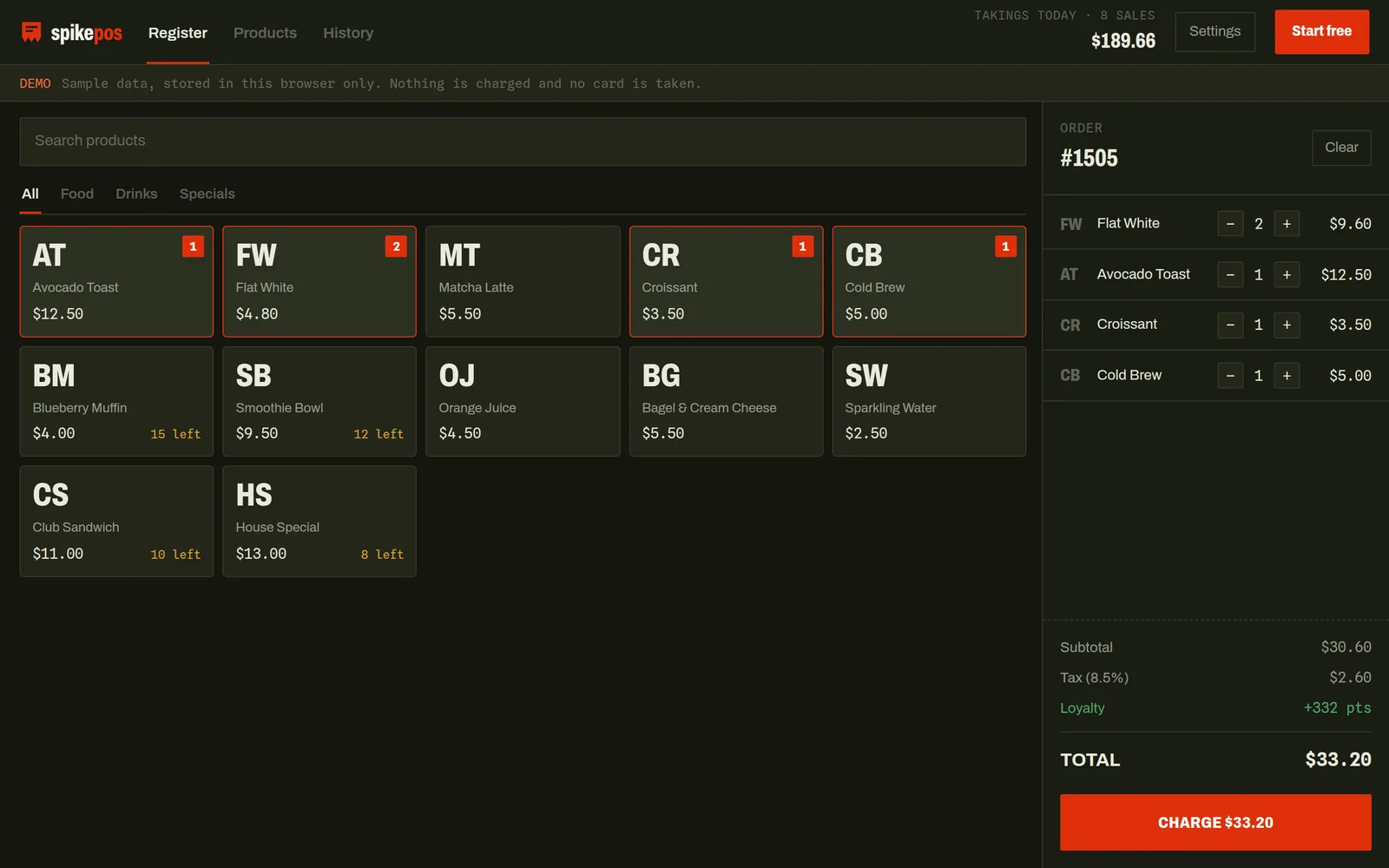
A five-minute test at the counter
Use the demo to check the shape of the workflow, not to judge your shop’s accounting or live inventory. Try it on the device you intend to leave at the counter.
- Add two different products and change a quantity.
- Choose a tender label and finish the sample order; no money moves.
- Open the receipt and use print preview to inspect the layout.
- Browse sample product and history screens, then try the register on your phone.
What the demo can tell you
You can evaluate tile size, cart readability, navigation and the basic receipt layout. Ask a staff member to find a product without instructions; that is a useful test of category names and screen size.
Try navigation with both a mouse and the keyboard, and inspect the receipt at the zoom level you normally use. The demo and authenticated app are separate implementations. Demo stock, loyalty balances and history are illustrative and do not prove plan access, API behavior or integrations.
Move from sample data to your account
Demo transactions are not imported into your shop. Create a Starter account when you are ready to add your own products. Starter costs $0 and includes up to 50 products; compare plans before depending on inventory or loyalty.
Use the demo without entering customer names, phone numbers or other real business information.
Check the limits before switching
The demo is not a payment processor, a production receipt certification test, an offline guarantee or a simulation of multi-user stock concurrency. Data stored in a browser can be cleared.
Questions before you start
Do I need an account to try the demo?
No. The sample demo opens without signup. You need an account to manage a real shop.
Will a sample sale charge my card?
No. Demo tender buttons only label sample sales; they do not charge a card.