By Spike POS · Published · Updated
How to Print 80mm Receipts from a Browser
Set up your receipt printer, select 80 mm paper, test browser print preview and troubleshoot clipped or scaled receipts without silent-print promises.
Make the printer work outside the browser
Install the printer using its manufacturer’s instructions. Print an operating-system test page before troubleshooting the POS. If the device cannot print from the operating system, changing the receipt page will not fix the connection.
An 80 mm roll describes paper width, not necessarily printable width. Drivers and printers reserve different margins. Use a paper size supported by your actual printer rather than assuming every thermal model behaves alike.
Check print preview before using a real sale
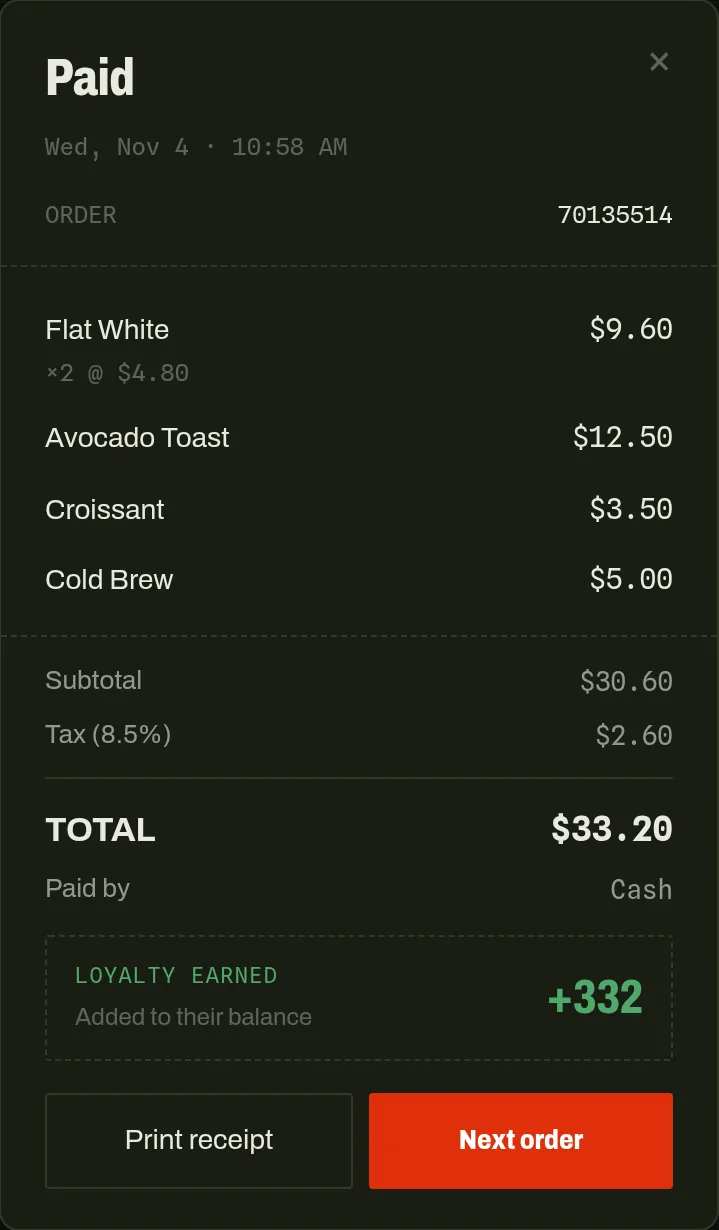
Open a sample receipt in the Spike POS demo and choose Print. The receipt layout is intended for 80 mm rolls, while your browser still controls the destination and print settings.
- Select the installed receipt printer, not an A4 office printer.
- Choose an 80 mm roll size in the printer properties where available.
- Turn off browser headers and footers if they add URLs or page dates.
- Inspect scale and margins; check that names, totals and tax lines are visible.
- Print one sample and compare it with the preview before accepting the setup.
Fix common clipping and spacing problems
If the rightmost digits are clipped, inspect the driver’s printable width and browser scale. Do not keep shrinking the page until the totals are too small to read. Long product names should wrap without hiding the quantity or price.
If a short receipt feeds excessive paper, review the selected paper length or roll configuration. If every print adds a URL, the browser’s header/footer option is probably still enabled. Exact settings vary by browser and driver; save a note of the combination that worked.
Know what browser printing does not guarantee
Standard browser printing opens a print dialog. This guide does not promise silent printing, automatic cash-drawer opening, direct Bluetooth support or compatibility with every receipt printer.
Test from the actual counter device after browser or driver changes. Spike POS does not currently advertise emailed receipts. Keep your sales history and accounting retention needs in mind when deciding how customers receive a receipt.