By Spike POS · Published · Updated
How to Set Up a Free POS System for a Small Shop
A practical first-register checklist: prepare your catalogue, set up a free account, test receipts and reconcile your opening trading day.
Prepare a short catalogue before creating the account
Write down the products you actually sell, their customer-facing names, prices and categories. Begin with your most common items rather than copying an old spreadsheet full of discontinued stock. Count how many distinct products you need: Spike POS Starter allows up to 50.
Keep a copy of your price list outside the POS. Confirm your tax treatment with your own adviser; entering a tax rate does not establish that it is the right rate for your business.
Set up the store and products
Create a free account, then check the store name, currency and tax settings before recording sales. The store name appears on receipts, so use the name customers recognize.
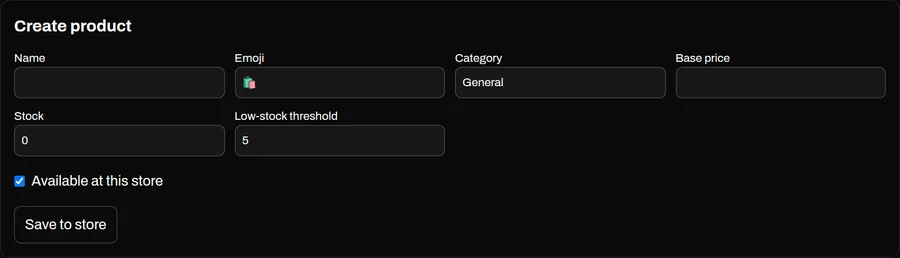
Add products by hand on Starter. Choose categories that staff will recognize at the counter. A category called “Drinks” is more helpful during a queue than an internal supplier code. CSV catalogue import is a Pro feature.
- Add five common products with clear names and prices.
- Check each price against your own list, including tax behavior.
- Invite staff using their own logins and appropriate roles.
- Open the register on the device you will actually use.
Test the complete sale, not just the product grid
Try the public sample demo first if you want to explore without creating shop transactions. In your own account, a recorded sale is business data; plan a controlled test and its reconciliation before you begin.
Check quantities, tender selection, the receipt and the day’s total. Card and contactless labels do not process money. Take payment using your separate terminal or cash process, then record it accurately. If your deployed app requires a cash session, open it before testing cash checkout.
Close the first day with a reconciliation
Compare recorded cash with the drawer and recorded card sales with your terminal report. Investigate differences while staff can still remember the shift. Keep your previous recordkeeping method available during the transition.
Starter has basic reports and 30 days of sales history, but no live inventory tracking. If stock control is essential, review Pro limits and availability before changing your stock process. A free register is useful only if its limits fit the way your shop works.